Security & Access
What’s Actually New in Door Access Control — and What Still Matters
Secure credentials, mobile access, cloud management, OSDP, and integration: what has changed in access control, and the fundamentals that haven't.
By UTECH · · 5 min read
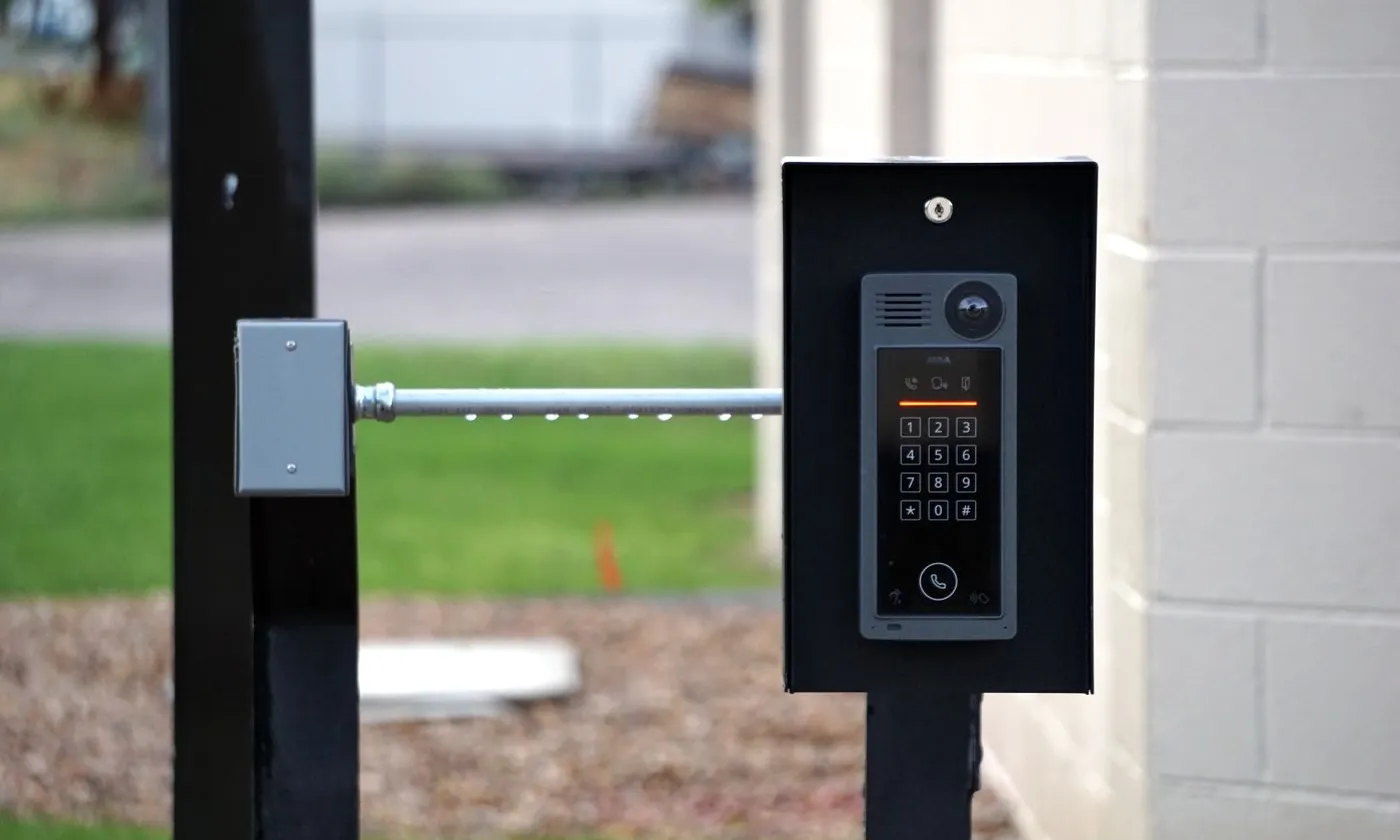
The biggest changes in access control over the last decade are secure credentials, phone-based access, cloud management, and tighter integration with video. None of them replace the fundamentals: properly specified door hardware, code-compliant egress, reliable power, and clean installation.
From keys to networks, briefly
Mechanical locks protected doors for thousands of years. Electronic access arrived in the second half of the 20th century, first with magnetic-stripe and early proximity cards, then with networked controllers that let one administrator manage hundreds of doors. Today’s systems are software platforms first, with the door as the endpoint.
That history matters for one reason: many buildings still run technology from the earliest electronic generation, and it is far weaker than most owners realize.
1. Credentials got a lot more secure
The classic 125 kHz proximity card is still everywhere, and it can be copied in seconds with inexpensive devices sold online. Modern systems use encrypted 13.56 MHz smart cards that authenticate with the reader before sharing any data, which makes cloning far more difficult.
If your building still uses older proximity cards, upgrading credentials and readers is often the single highest-value security improvement you can make. Many newer readers can read both card types during a phased migration.
2. The phone became the key
Mobile credentials let users open doors with a smartphone or smartwatch over Bluetooth or NFC, often from a digital wallet. For administrators, the bigger benefit is control: credentials can be issued, limited by schedule, and revoked remotely, with no cards to collect when someone leaves.
Mobile access suits offices, coworking spaces, and multifamily buildings where residents and staff turn over regularly. Most sites keep cards available for people who prefer them.
3. Management moved to the cloud
Cloud-hosted access control lets property and IT teams manage doors across many locations from a web browser, push updates without site visits, and pull audit reports on demand. On-premises servers still make sense for some high-security or air-gapped environments, but cloud platforms have become the default for multi-site operators.
Ask any cloud provider how doors behave when the internet goes down. A well-designed system keeps controllers working locally and syncs when the connection returns.
4. Reader wiring got smarter: Wiegand vs. OSDP
For decades, readers talked to controllers over Wiegand, a one-way, unencrypted protocol that can be intercepted at the reader. OSDP (Open Supervised Device Protocol) replaces it with two-way, encryptable, supervised communication: the controller knows if a reader is tampered with or goes offline.
For new installs, OSDP should be the default. For upgrades, existing cable can often be reused, which keeps the cost reasonable.
5. Biometrics went mainstream — with legal strings attached
Face and fingerprint readers verify the person, not just the card they carry. They are increasingly common at data rooms, pharmacies, and other high-security doors.
Biometric data is regulated in a growing number of jurisdictions. Before deploying it, confirm what notice, consent, and data-retention rules apply to your location and your users.
6. Integration ties the building together
Access control is now expected to talk to other systems:
- Video: jump from a door event to the camera footage of that moment.
- Intrusion alarms: arm and disarm areas automatically based on who badges in.
- Visitor management: issue temporary credentials tied to a host and a time window.
- Elevators: restrict floors by credential.
- Fire alarm: release designated doors automatically during an alarm, as code requires.
7. Analytics and multi-factor at sensitive doors
Newer platforms flag unusual patterns, such as a badge used at odd hours or at doors outside a person’s normal area. At high-risk doors, multi-factor authentication (card plus PIN, or card plus biometric) adds a second check.
Treat analytics as a tool that surfaces events for a human to review, not as a replacement for good access policies.
What has not changed
- The door is still mechanical. Frames, closers, strikes, and maglocks must match the door type and traffic. A great platform on a poorly hung door fails constantly.
- Life safety comes first. Locked doors on an exit path must still let people out, and must respond correctly to fire alarm and power loss. The local fire code and the authority having jurisdiction decide what is acceptable.
- Fail-safe vs. fail-secure is a design decision. Fail-safe hardware unlocks when power is lost; fail-secure stays locked. Which one each door gets depends on code, use, and risk.
- Power and backup matter. Power supplies and batteries sized for the hardware keep doors working during outages.
- Network and cabling quality matter. Controllers and readers are only as reliable as the cable and connections behind them.
Planning an upgrade? Start with these questions
- How many doors, and which are on egress paths?
- What credentials are in use now, and can readers support both old and new during migration?
- Can existing reader and lock wiring be reused?
- Cloud or on-premises management?
- What needs to integrate: video, alarms, visitors, elevators?
- Who manages users day to day, and how are departures handled?
Work with a licensed installer
UTECH is a NY DOS licensed installer (Lic. #12000323540) for fire alarm, burglar alarm, CCTV, and access control systems, and designs, installs, and services them for commercial, retail, and multifamily properties across New York. Contact UTECH to plan your upgrade.